
White label SEO reports and rank alerts Know the day a keyword moves. Send the report with your name on it.
TheSerpAgent is the rank tracker your AI runs. It sends one alert summary a day when a keyword crosses a rule you set, and it makes white label SEO reports: a PDF with your name, colour and logo, on every plan.
One summary a day, when a rule fires
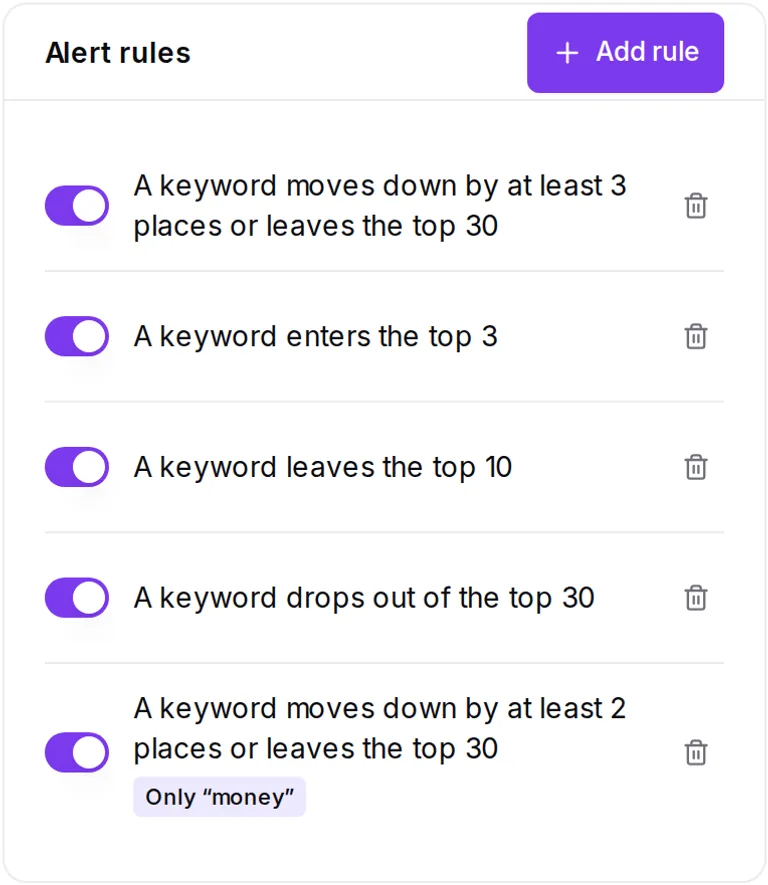
Rules run on each keyword checked that day. Once the project's checks are in, or from 18:00 UTC with what is in by then, the summary goes out by email, and to Slack or your own system if you add them. A rule can watch the whole project or one list of keywords. A new project starts with one rule on: Moved down 5+ places.
| Rule | Fires when |
|---|---|
| Moved up | A keyword gains the number of places you set, from 1 to 29 |
| Moved down | A keyword loses the number of places you set, from 1 to 29, or leaves the top 30, whatever the number |
| Entered or left the top 3 | A keyword crosses into or out of the top 3 |
| Entered or left the top 10 | A keyword crosses into or out of the top 10 |
| Dropped out of the top 30 | A keyword that ranked no longer does |
Email, Slack or your own system
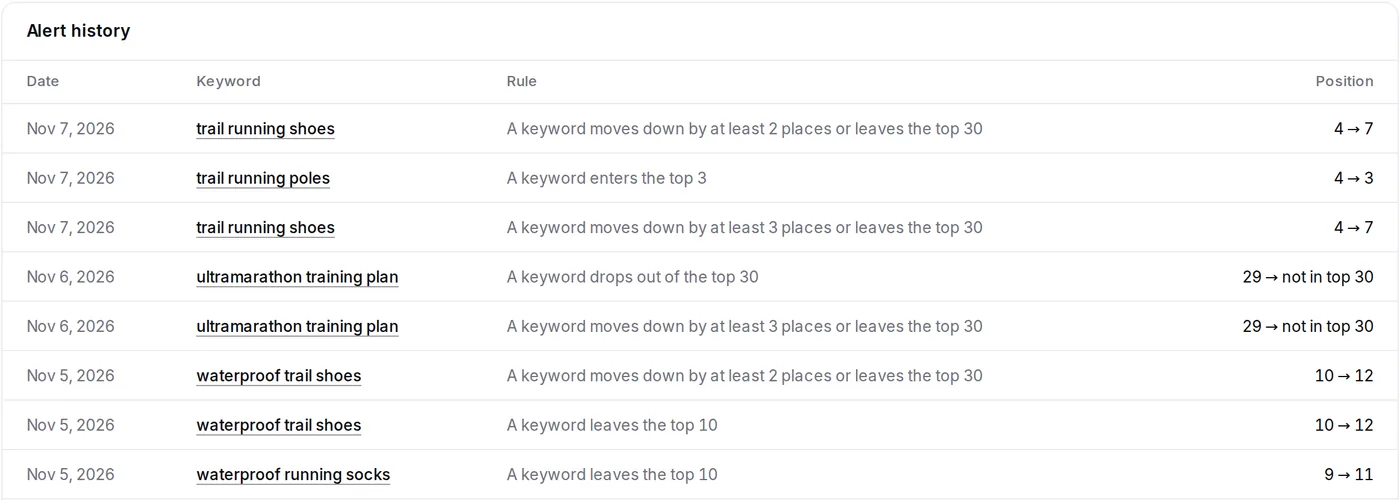
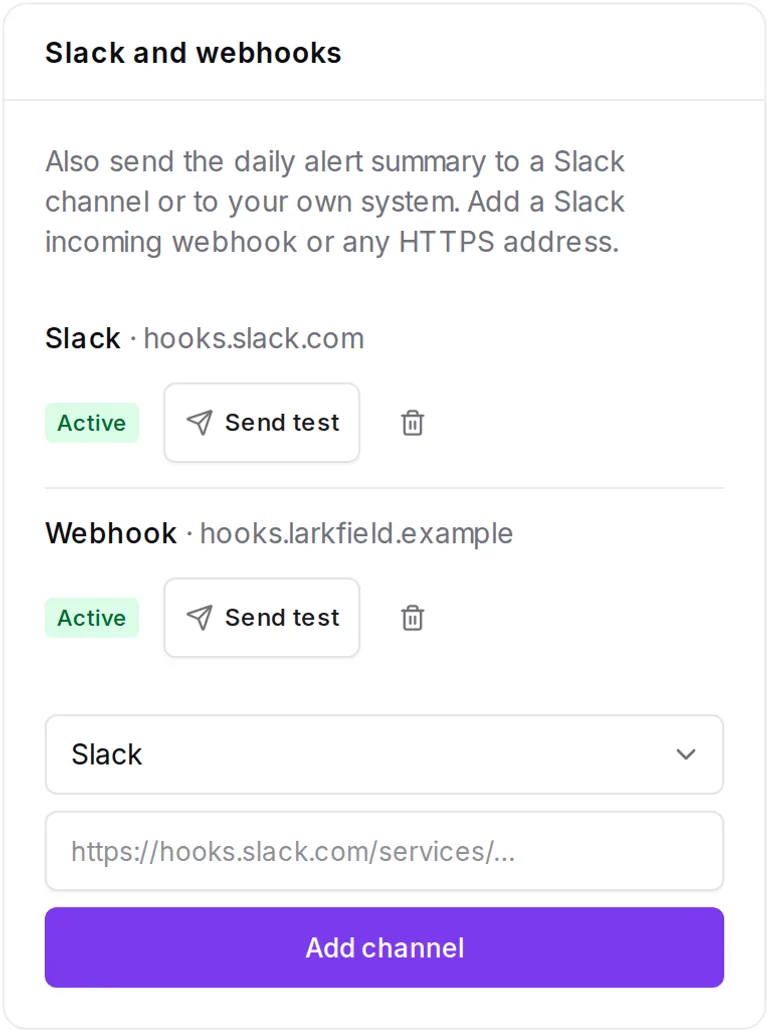
Email goes to the account owner. Slack takes an incoming webhook, with up to 25 lines a message. A webhook takes any public https address and receives JSON, signed in the X-SerpAgent-Signature header so you can check it came from here.
{
    "event": "alerts.digest",
    "sent_at": "2026-11-07T09:00:00+00:00",
    "project": {
        "id": 1,
        "name": "Alpine Run",
        "domain": "alpinerun.example"
    },
    "url": "https://app.theserpagent.ai/projects/1/alerts",
    "alerts": [
        {
            "keyword": "trail running shoes",
            "rule": "Moved down 3+ places",
            "from": 4,
            "to": 7,
            "checked_on": "2026-11-07"
        }
    ],
    "alerts_total": 1
}
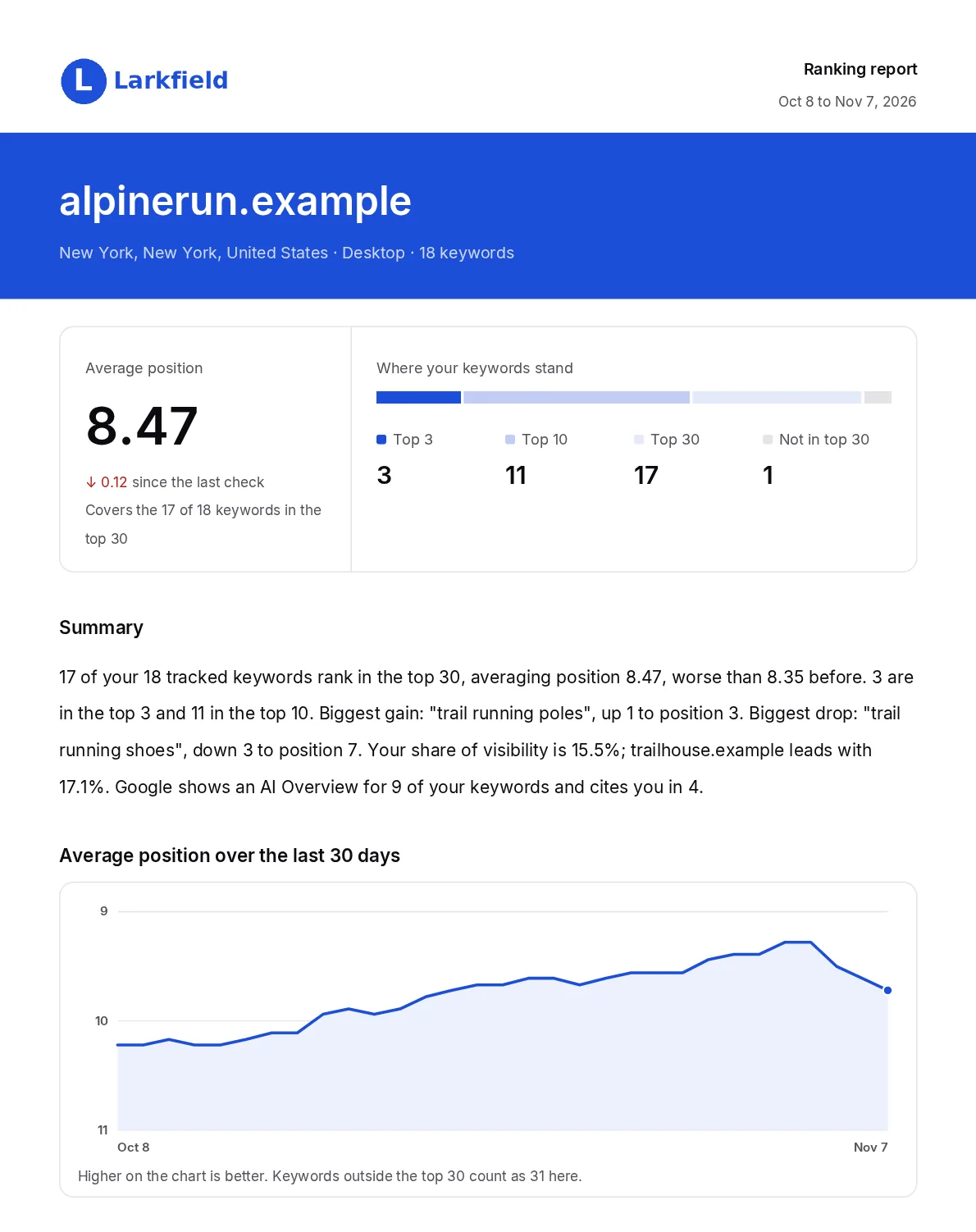
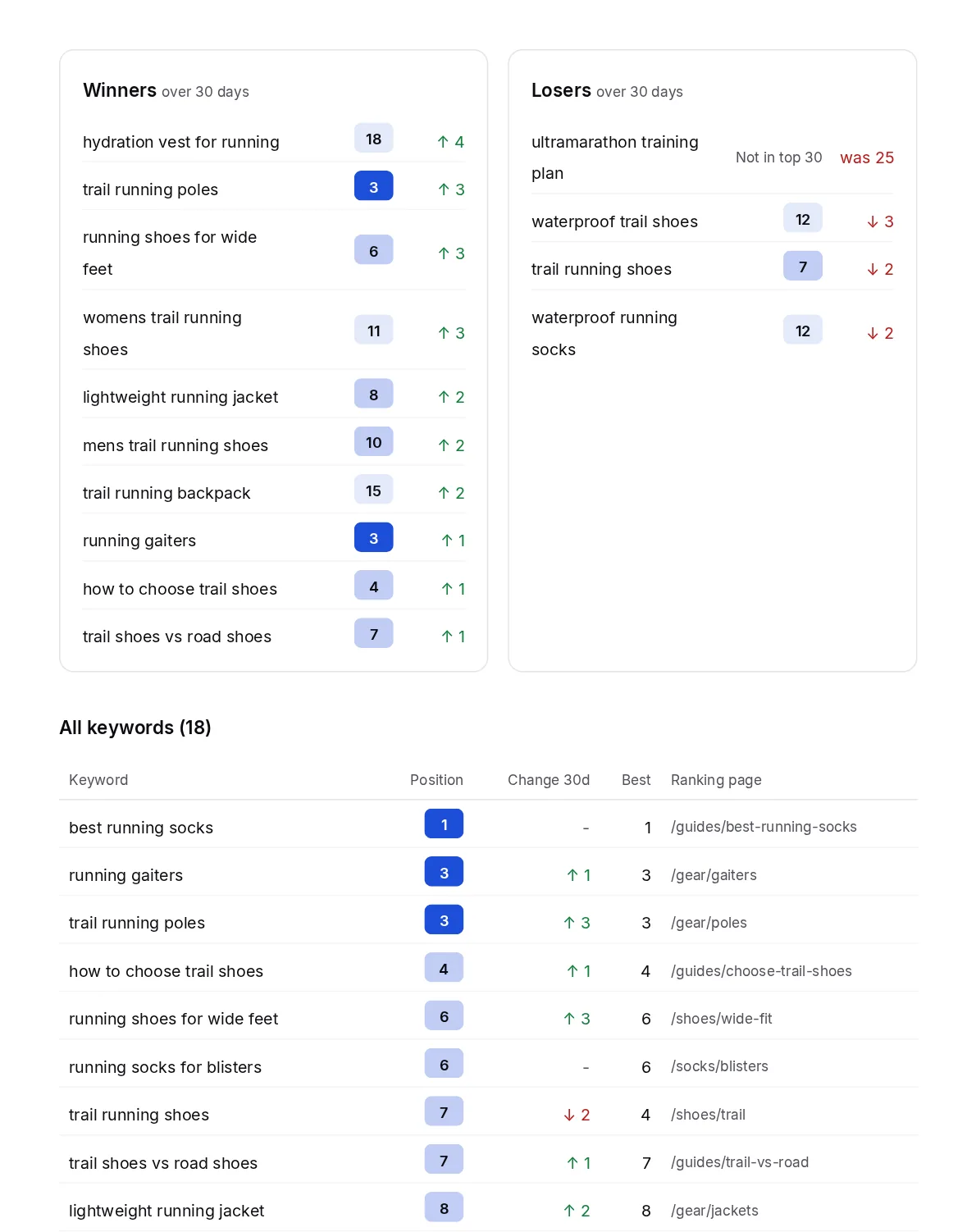
generate_report. The agency, its client and the positions are sample data. Open the PDFWhite label SEO reports, ready to send
Each project carries its own company name, brand colour and logo, so each client's report can carry the right name. The line that credits TheSerpAgent can be switched off.
- Average position, and counts in the top 3, top 10 and top 30
- A short summary, written automatically, with moves counted since the last check
- The average position trend, with keywords outside the top 30 counted as 31
- Winners and losers over the report's 7 or 30 days. A keyword that left the top 30 counts as a loser, shown as "was 12". One that entered is not listed as a winner
- Every keyword with its position, change, best position and ranking page
What your AI does here
Ask in plain words. Your AI sets the rules and the channels, brands the PDF and puts it on a schedule. A report you ask for comes back as a download link that works for one hour. Every job here is in the dashboard too.
What your AI can do| Job | Tool |
|---|---|
| Set an email alert | create_alert |
| See, change or delete a rule | list_alertsupdate_alertdelete_alert |
| Read what fired | get_alert_history |
| Add, test or remove a Slack or webhook channel | add_channeltest_channeldelete_channel |
| Make the PDF report, for 7 or 30 days | generate_report |
| Set the report's name, colour, logo and reply address | set_report_brandingset_report_logo |
| Email the report on a schedule | create_report_schedule |
Questions about alerts and reports
How many alerts will I get?
At most one summary per project per day, and only when a rule fires. It goes out once that day's checks are in, or from 18:00 UTC with what is in by then. A move checked after that summary goes in the next one, marked with its date, such as checked Nov 6. A quiet day sends nothing.
Who receives the alert email?
The account owner. Slack and webhook channels get the same summary.
Can my AI set alerts?
Yes. create_alert sets an email rule, and add_channel sends the same summary to Slack or a webhook. list_alerts, update_alert and delete_alert handle the rules you have.
Can clients receive the report by themselves?
Yes. In the dashboard or through your AI, schedule it daily, every Monday or monthly, at 07:00 UTC, to up to 5 addresses. A project can hold up to 5 schedules. The email shows your company name and comes from our sending address, and replies go to the address you set.
What period does a report cover?
A report made by hand or by your AI covers 7 or 30 days. On a schedule, daily and weekly reports cover 7 days and monthly reports 30 days.
Are white-label reports on every plan?
Yes. Your name, colour and logo are on every plan, and the line that credits TheSerpAgent can be switched off.
Stop checking rankings one by one
Add your site and keywords, and we start checking them right away.
Start free trial14 days free with a card on file. Nothing is charged until they end.